Customer Storefront

Affilate share link

Customer Storefront

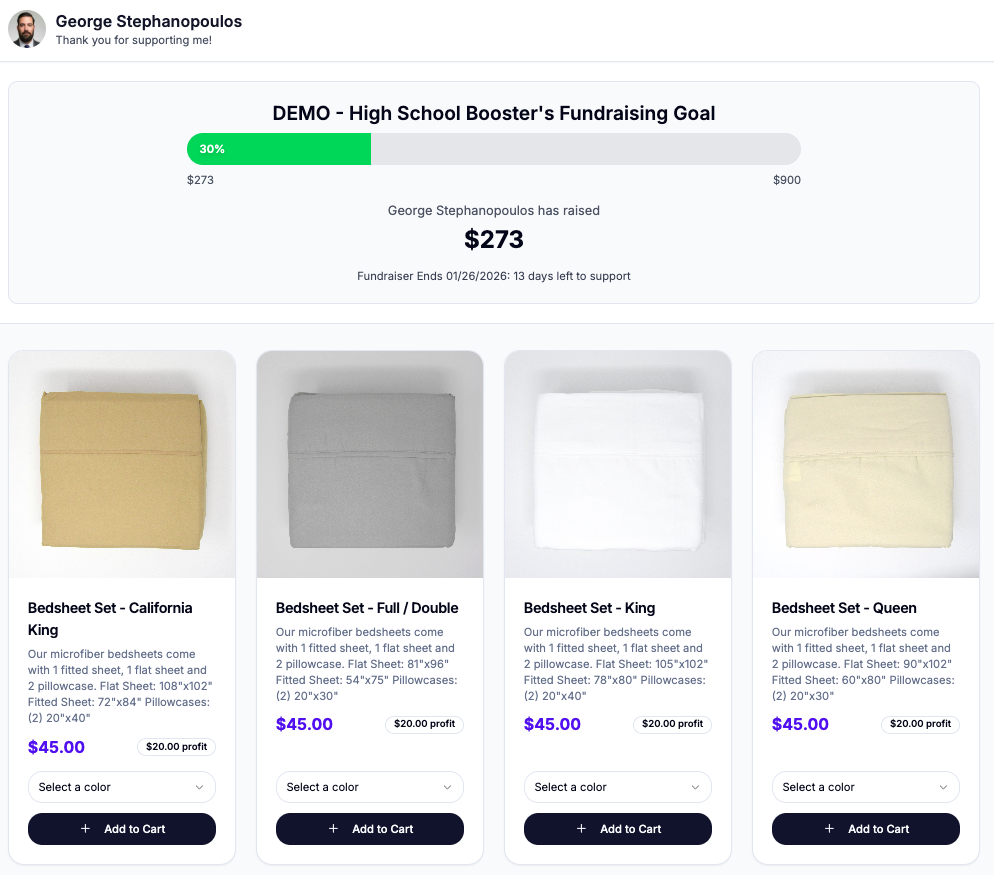
All fundraising participants or sellers will have a custom share or referral link to share with potential customers. Any purchase or order request will be accredited to that specific participant and appear in their dashboard.

Locate the share button and click it. The link can then be pasted into any messaging app or social media post.
Storefront Example
Was this helpful?

Thank you for your feedback
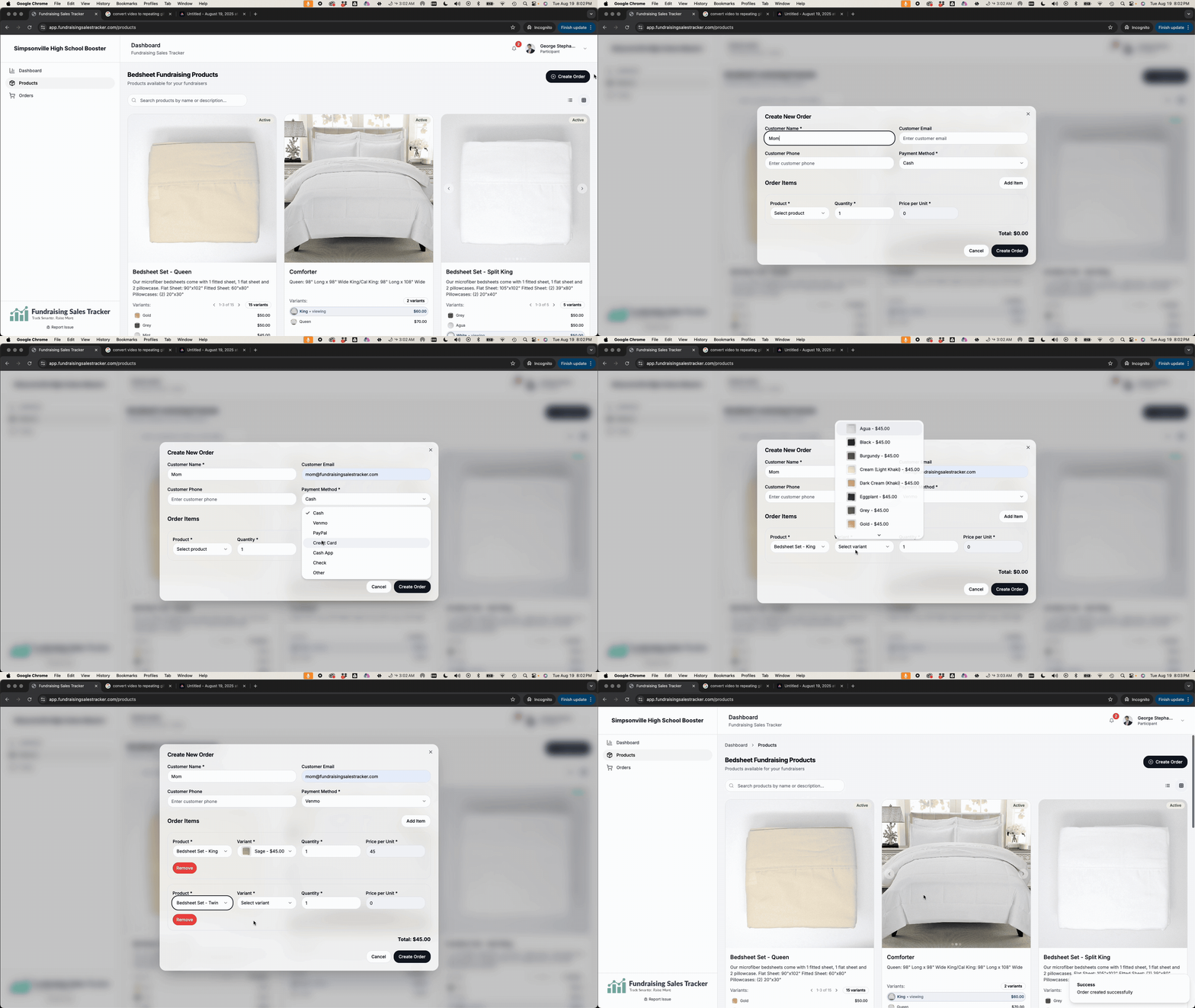
Create an order
After your customer has reviewed your product offerings and they know what they want, click “Create an Order” and fill in the required information and secure payment from your customer....
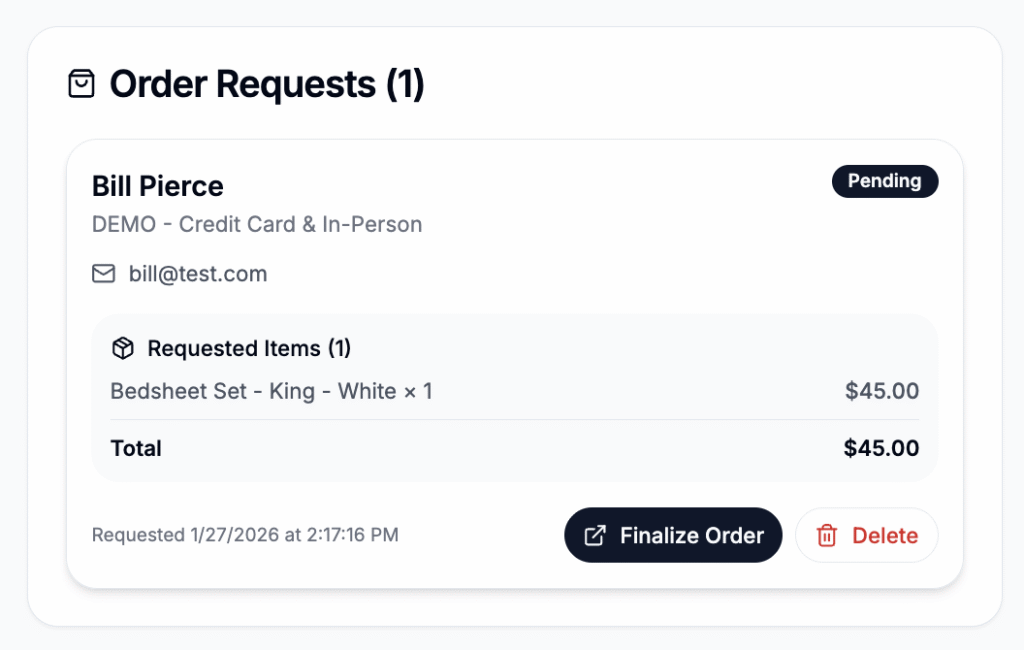
Order Requests
Order requests are unpaid orders submitted by a customer using the the public store front. Order request show up in a participants dashboard and must be finalized and payment collected...
Lightbox
Simplify your fundraising

Are you a school?

For a limited time, we are now offering our product for free to all schools.

Sign Up