Participant Store Front

How a fundraising organization can find a specific participant share link

Individual Participant Share Links

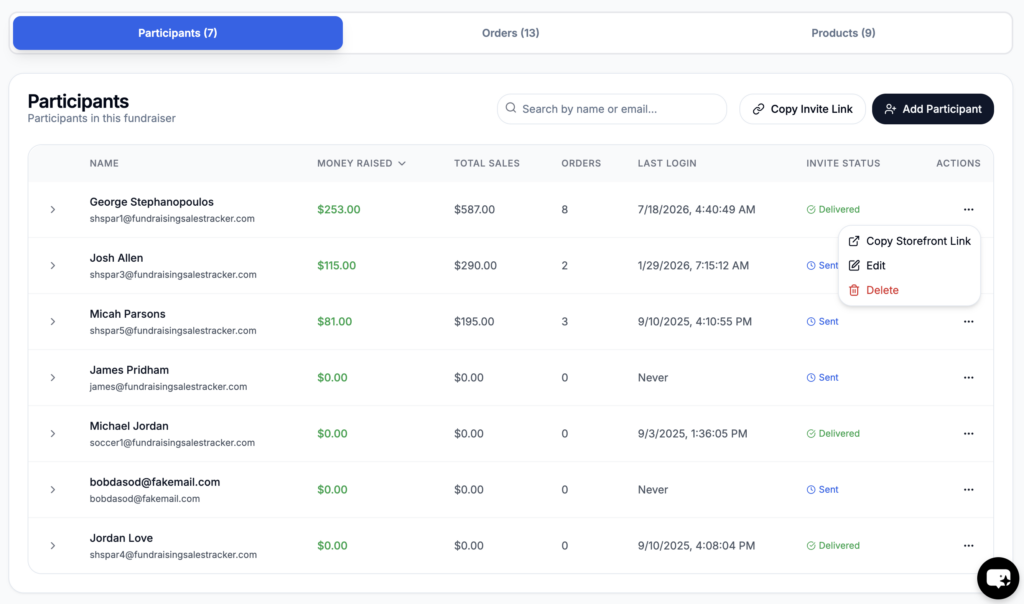
Navigate to your fundraising dashboard and click on the participants tab. On the right side is three dots. Under the specific participant, click the three dots and then click “Copy Storefront Link”. Paste into any browser or share with potential customers. Any purchase made will be credited to that participant and show up in their dashboard.
Was this helpful?

Thank you for your feedback
Exporting Fundraising Data
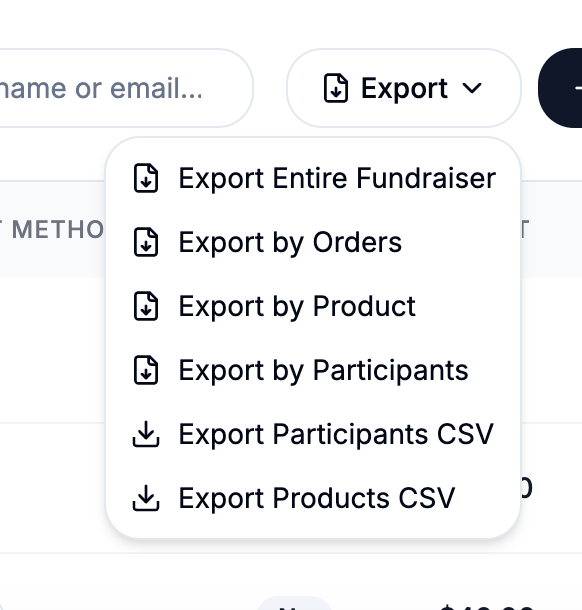
For exporting fundraising reports and individual participant records to go your fundraiser and click on the Order tab and then export There are 6 export options. The most common option...
Fundraiser Payment Mode
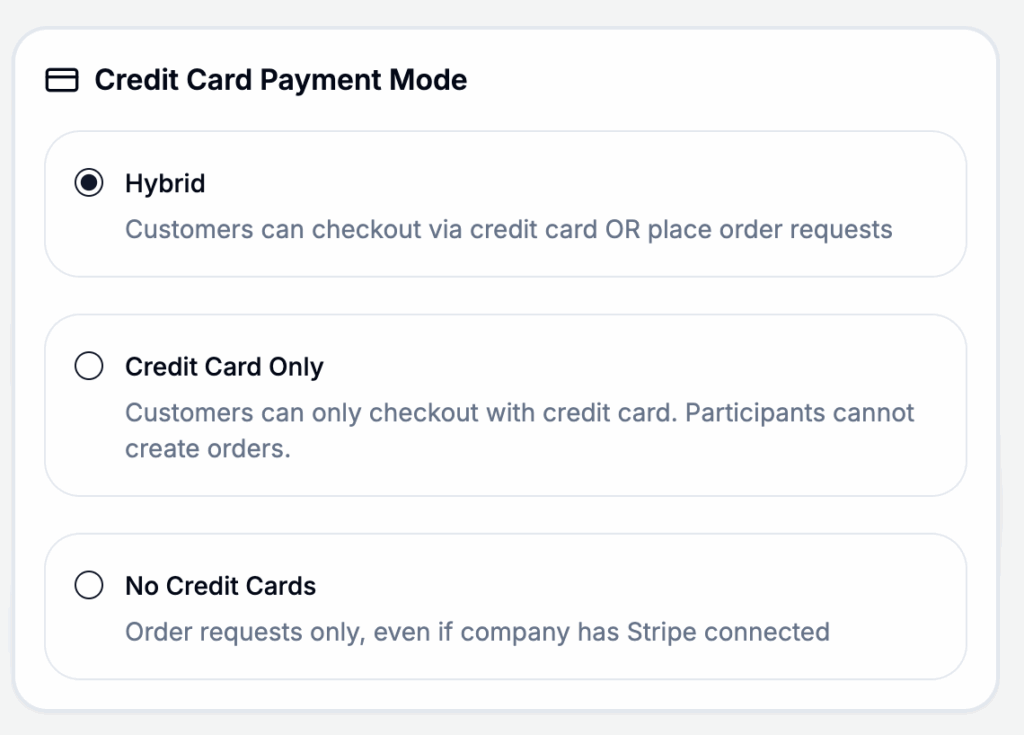
When creating a fundraiser, you can choose how payments can be made and collected.Go to https://app.fundraisingsalestracker.com/fundraisers and create or edit your fundraiser for this setting Hybrid: Allow customers to checkout and...
Invite Participants
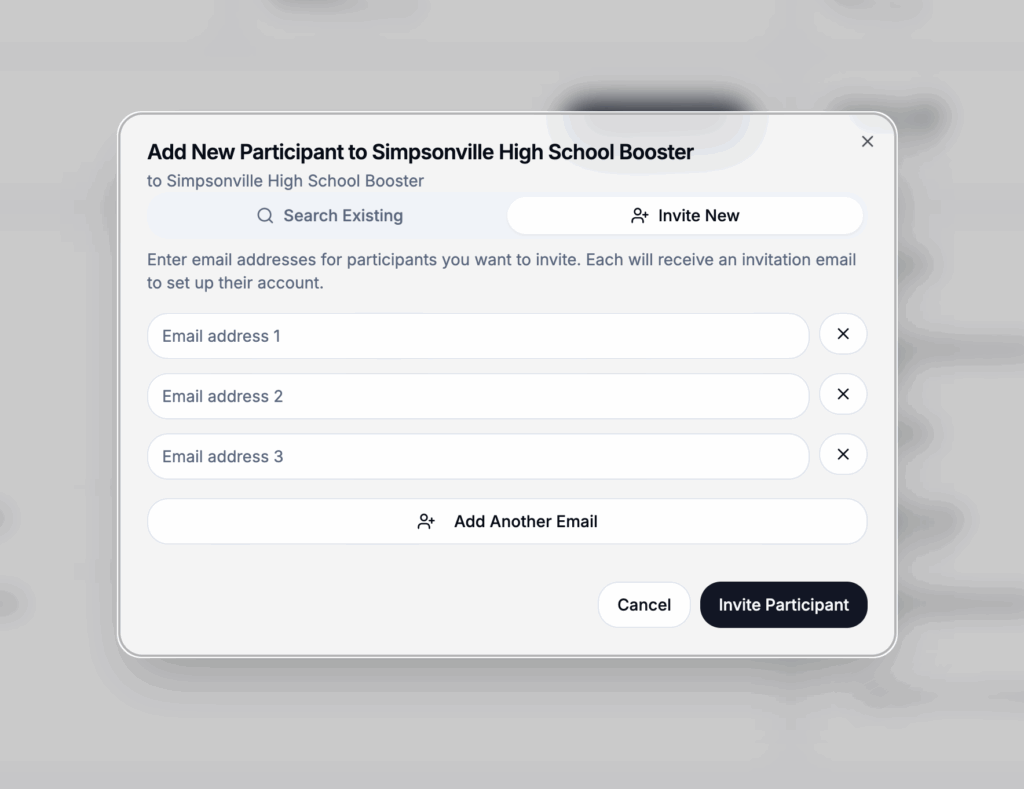
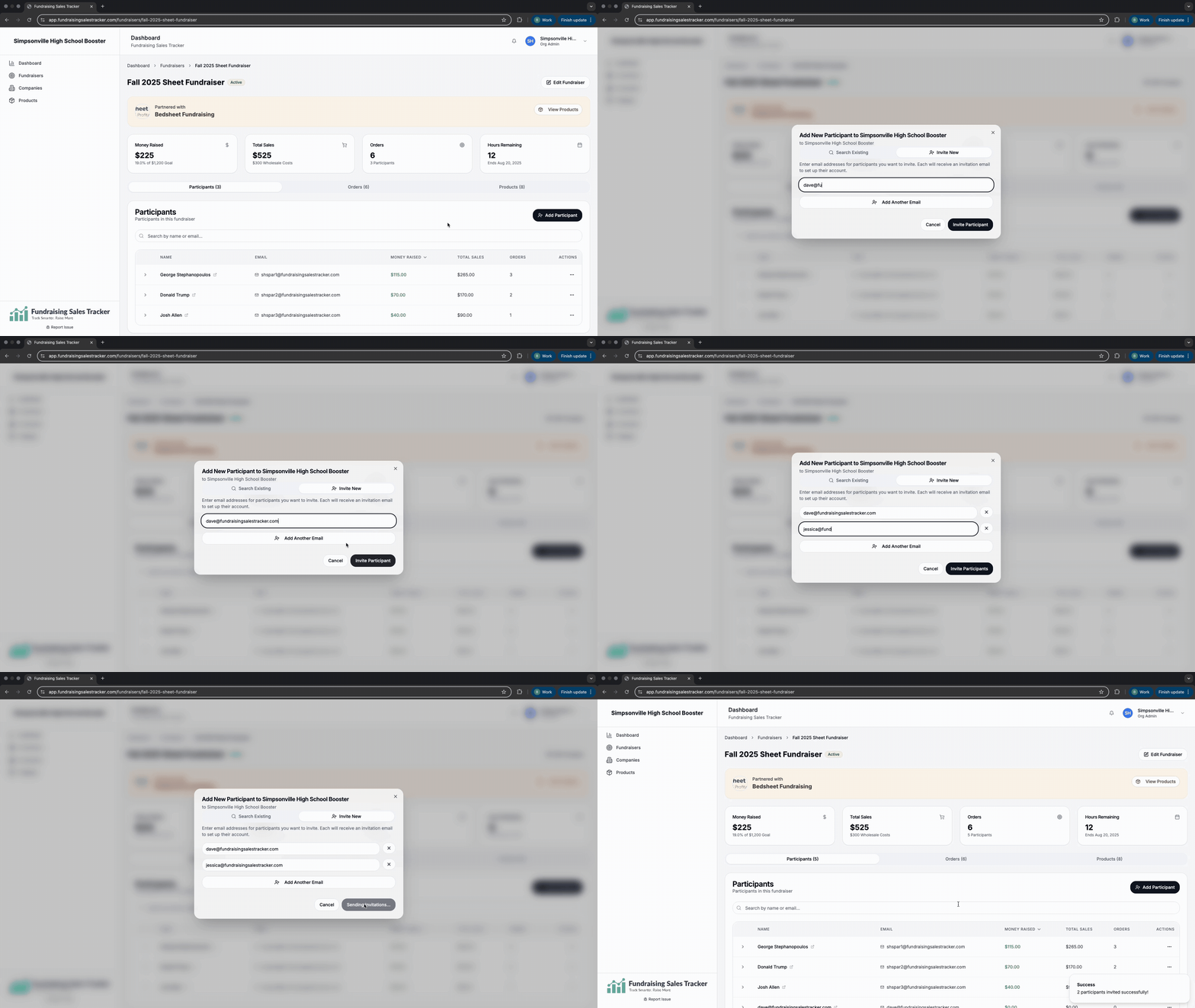
After you have created a fundraising campaign and set your parameters, you need to invite everyone who will be participating in selling. Only participants can record or create orders. Look...
Set or update retail price of products
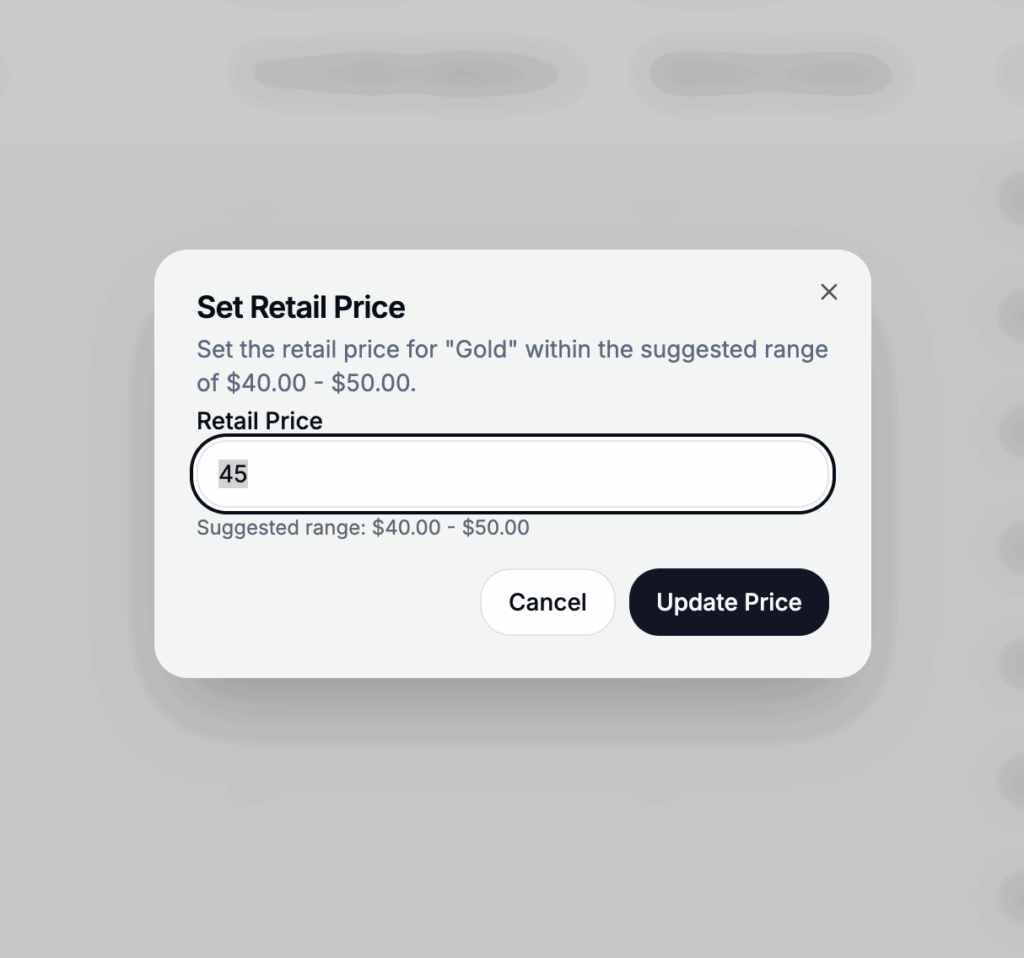
At a fundraising group and if supported by the fundraising company you are working with, you may have the option to adjust your retail price. By default, the minimum price...
Create a Fundraiser
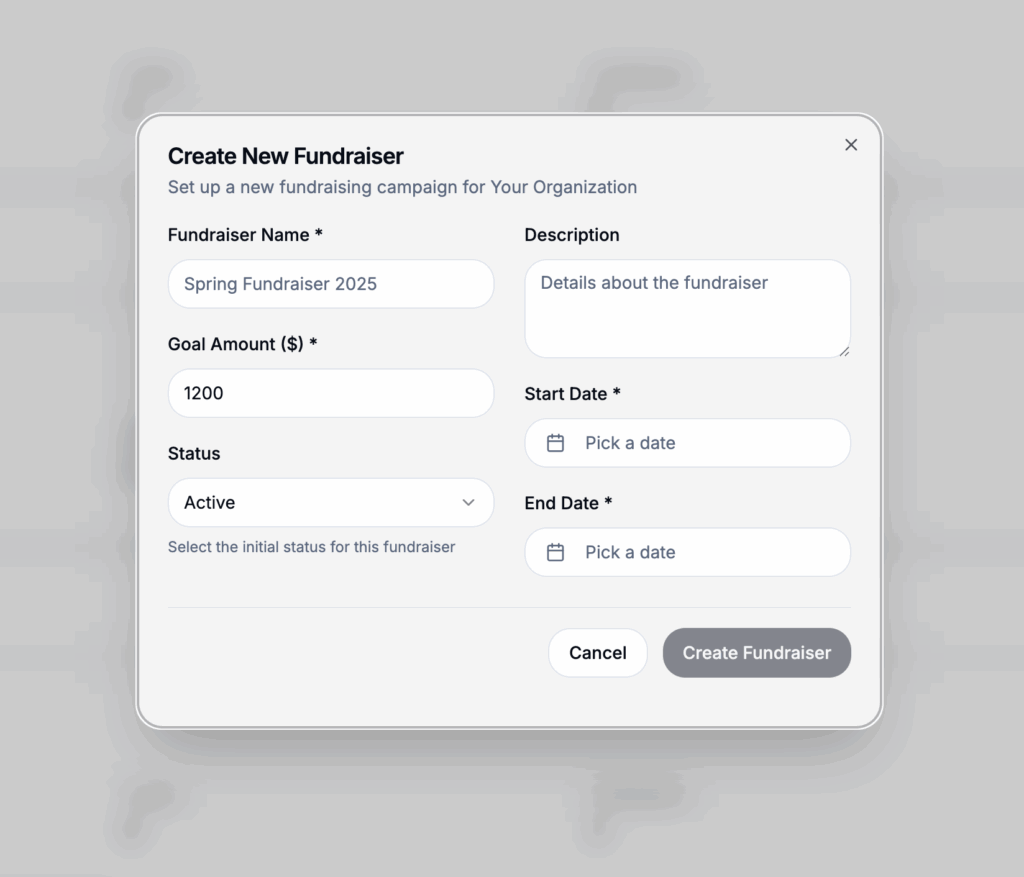
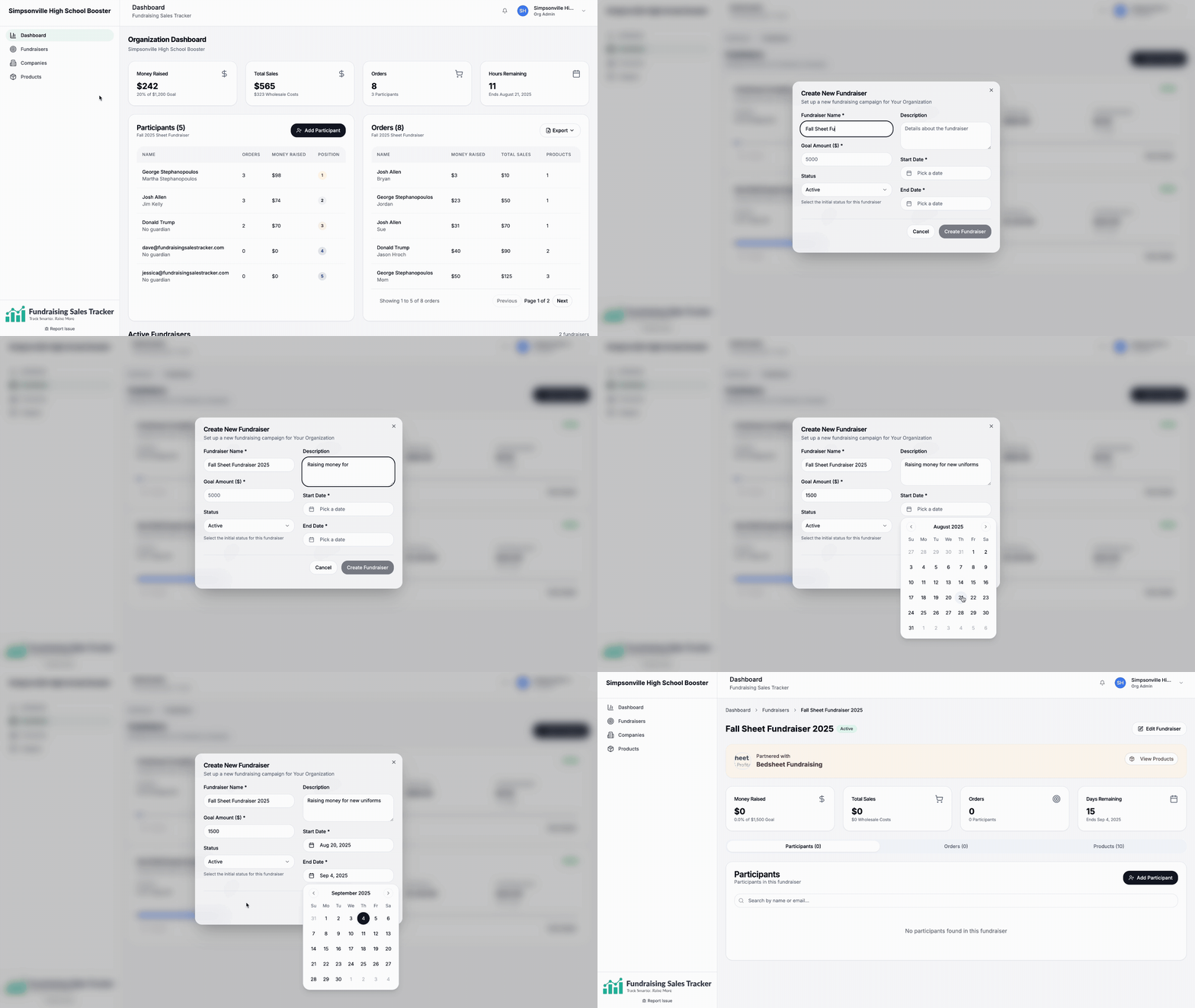
After signing in and creating your organization profile, the next step is to create a fundraiser. Go to Fundraisers > + New Fundraiser Please note these can be change at...
Activating your account
Step 1: Check your email and accept your invitation from the fundraising company you are working with. Step 2: Complete your profile. This is important not only for the company...
Lightbox