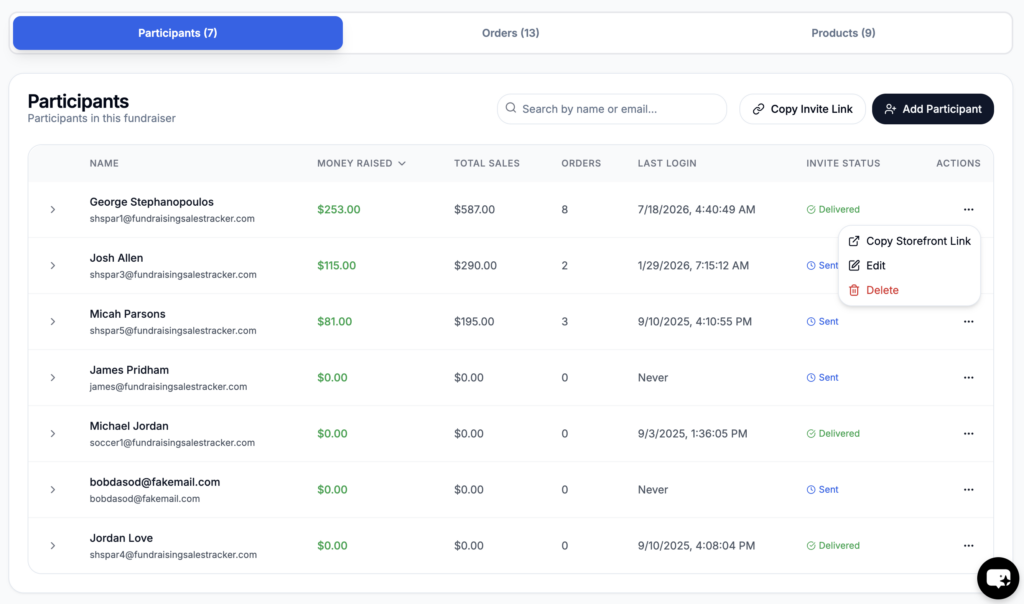
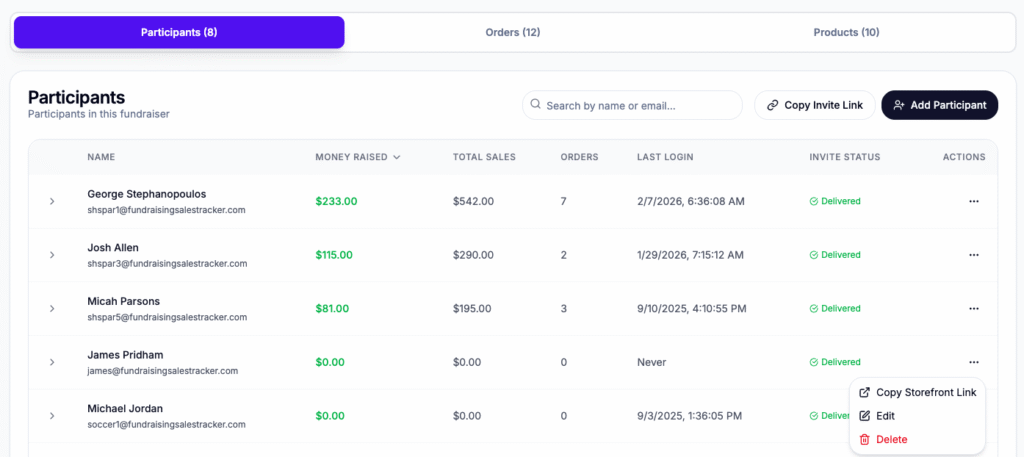
To removed a participant, go to the specific fundraising campaign and click on the participants tab. Under the action column or 3 dots, is the option to delete. Note that only participants with no recorded order can be deleted.
If you are a participant and would like your account deleted, please contact your organization leader of your account to perform this action.